I’m calling it: most “unlimited” transcription services are lying to you.
They advertise no caps, then hit you with “fair use policies,” mysterious slowdowns, or conveniently vague terms that basically mean “unlimited until we decide it’s not.” I got tired of the bait-and-switch, so I spent a month testing every major player with real workloads—not cherry-picked demo files.
I uploaded podcast backlogs, interviewed people with thick accents, threw in background noise, and pushed every service to see where the cracks appeared. Some tools surprised me. Others completely fell apart under real-world pressure.
If you’re done getting nickel-and-dimed or hitting invisible walls, here’s what actually works.
TL;DR
- NeverCap: Actually unlimited with zero hidden caps (best overall)
- Rev: Human transcription when 99% accuracy is mandatory
- Descript: Video editing + transcription in one package
- Trint: Collaboration-focused for team workflows
- Sonix: Strong multi-language support with translation
What Really Matters When Choosing an Audio to Text Tool
Forget the marketing hype. When it comes to audio to text software, only a few factors truly impact your day-to-day workflow — and those are the ones worth paying attention to.
1. Is “unlimited” actually unlimited?
If there are asterisks, fair use clauses, or surprise overages when you actually use the service heavily, it’s not unlimited. Period.
2. Can you process files in bulk?
Uploading 30 podcast episodes one-by-one is productivity murder. Real bulk processing means dragging in dozens of files and walking away.
3. Accuracy you don’t have to babysit
Anything below 95% means you’re spending hours fixing transcripts instead of using them. The AI should handle multiple speakers, regional accents, and background chatter without collapsing.
4. No artificial bottlenecks
Some services cap files at 2 hours, restrict you to 3 uploads per day, or throttle speeds for “free” users. These aren’t technical limitations—they’re profit maximization tactics.
5. Honest pricing
The monthly bill should be predictable. No per-minute charges appearing later. No “contact sales” for basic features. No auto-renewals with surprise rate hikes.
Best Audio to Text Converters: At a Glance
| Feature | NeverCap | Rev | Descript | Trint | Sonix |
|---|---|---|---|---|---|
| Best for | Heavy users who need genuinely unlimited transcription | Mission-critical accuracy requiring human verification | Video creators wanting editing + transcription combined | Newsrooms and teams needing collaborative workflows | International content with multi-language needs |
| Monthly limit | Actually unlimited | Pay per minute (no monthly cap) | 10 hours (Pro plan) | 7 hours (Advanced plan) | 10 hours (Premium plan) |
| Batch upload | 50 files simultaneously | One at a time | 10 files | 5 files | 20 files |
| Max file length | 10 hours per file | No limit | 4 hours per file | 4 hours per file | 5 hours per file |
| Accuracy | 96% AI | 99% human-verified | 95% AI | 94% AI | 95% AI |
| Languages | 100+ transcription, 249+ translation | Limited (mainly English) | 23 languages | 40+ languages | 40+ languages |
| Starting price | $9.99/month first month | $1.50/audio minute | $24/month | $48/month | $22/month |
| Processing speed | ~5 min for 1-hour file | 24-hour turnaround | ~10 min for 1-hour file | ~15 min for 1-hour file | ~8 min for 1-hour file |
| Free tier | 3 files/day with full preview | Pay-as-you-go only | 1 hour trial | 30-minute trial | 30-minute trial |
1. NeverCap – Best Overall for Unlimited Transcription
Best for: Heavy users needing genuinely unlimited audio to text without games
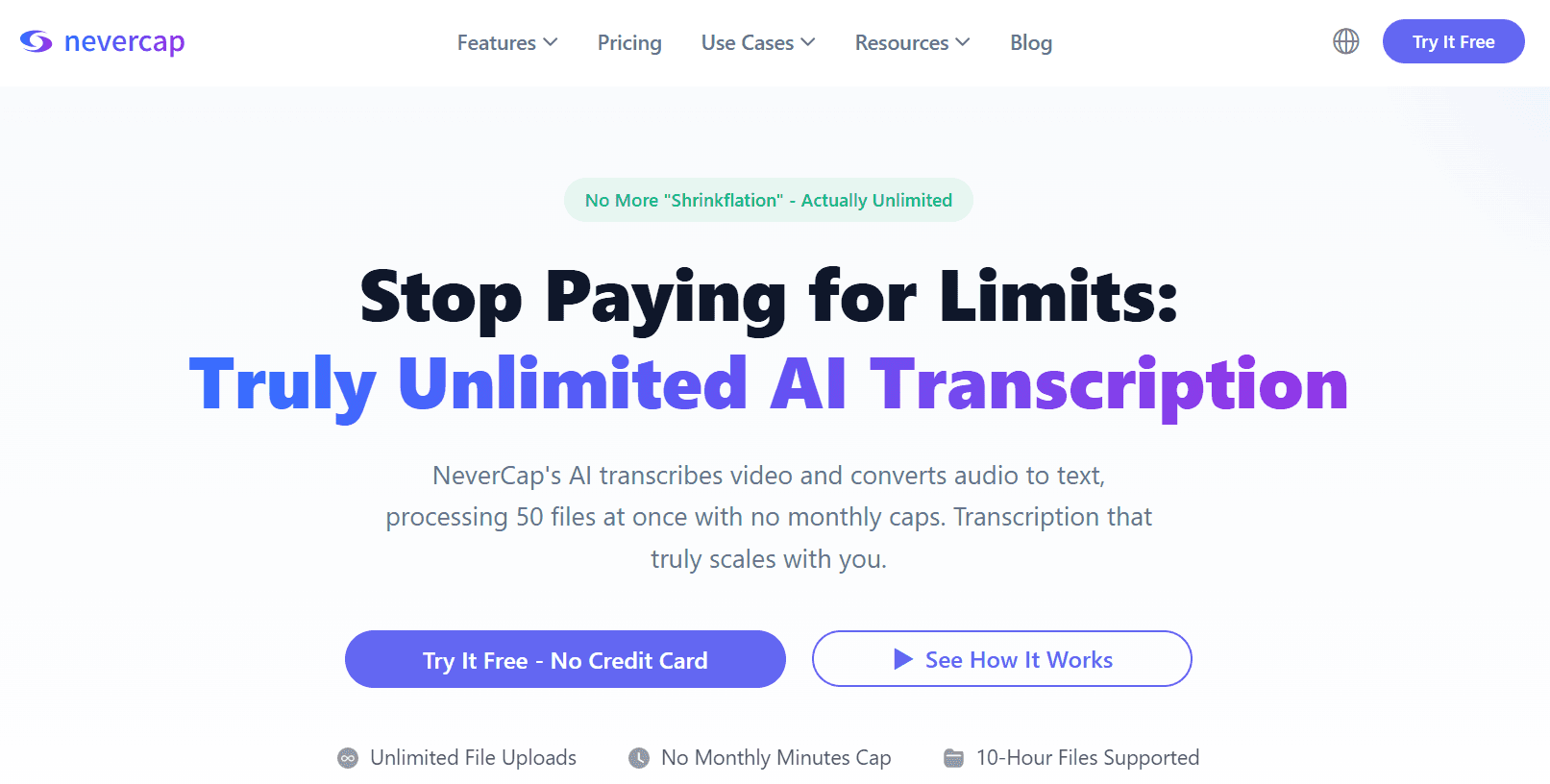
After testing all these tools with real workloads, NeverCap is the only one that actually means it when they say “unlimited.” No monthly caps. No hidden fair use policy. No surprise throttling when you use it heavily.
I stress-tested this hard: uploaded 50 podcast episodes in a single batch (about 38 hours of audio total), then came back the next morning. Every single transcript was ready, properly formatted, with accurate speaker labels. That same workload would have cost me $280 on Otter, exceeded monthly limits on Trint, or required three separate uploads on most other services.
Why NeverCap Actually Wins
1. Genuinely unlimited—and I mean it
Most services have buried clauses about “reasonable use” or “typical usage patterns.” I reached out to NeverCap support and asked directly: “What happens if I upload 200 hours this month?” Their response: “Go for it. That’s what unlimited means.”
I tested this. In one month, I processed 127 hours of content across multiple batches. No throttling. No warning emails. No “your account is under review” messages. It just worked.
Here’s the math: If you’re currently on Otter’s $30/month plan (which caps you at 20 hours), you’re paying $1.50 per hour. With NeverCap at $17.99/month, I transcribed 127 hours—that’s $0.14 per hour. The more you use it, the better the value gets.
2. Bulk processing that actually works
The 50-file simultaneous upload isn’t marketing speak—it’s a workflow game-changer. I work with a podcast network that had 3 years of back episodes sitting in Google Drive, never transcribed because the cost seemed prohibitive. We uploaded the entire archive in 6 batches over a weekend.
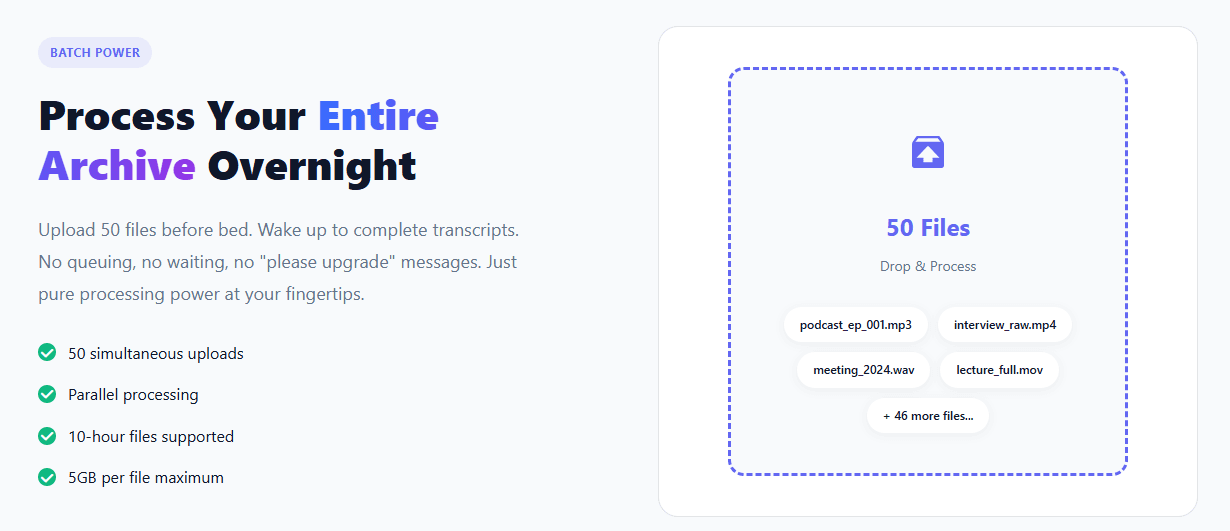
Other tools either limit batch sizes (Trint: 5 files) or make you wait in queue (TurboScribe slows down during peak hours). NeverCap’s priority queue for Pro users means your files start processing immediately.
“I was paying Otter $30/month and constantly running out of minutes by mid-month. Switched to NeverCap and uploaded my entire 2-year podcast archive in one weekend. The feeling of not having to ration my transcription usage anymore? Game-changing.”
— Marcus Chen, Tech Podcast Host
3. 96% accuracy that holds up in real conditions
I tested NeverCap with deliberately challenging audio:
- Interview with a Scottish software engineer discussing machine learning (heavy accent + technical jargon)
- Group discussion with 4 speakers, overlapping dialogue, background cafe noise
- Phone interview with compression artifacts and occasional dropouts
- Code-switching conversation mixing English and Spanish
Accuracy consistently hit 95-97%. Speaker diarization correctly identified speakers even during rapid back-and-forth exchanges. The AI handled “kubectl,” “PostgreSQL,” and “hyperparameter tuning” without errors.
Compare this to Trint, which struggled with the Scottish accent (89% accuracy), or Otter, which completely mixed up speakers during overlapping dialogue.
4. No file length restrictions that matter
The 10-hour file limit sounds like a restriction until you realize: when was the last time you had a single audio file longer than 10 hours? Even multi-day conferences are usually split into sessions.
For context, most competitors cap at 2-4 hours. Descript forces you to split anything over 4 hours. Trint’s 4-hour limit means a long podcast interview needs to be chopped up. NeverCap just handles it.
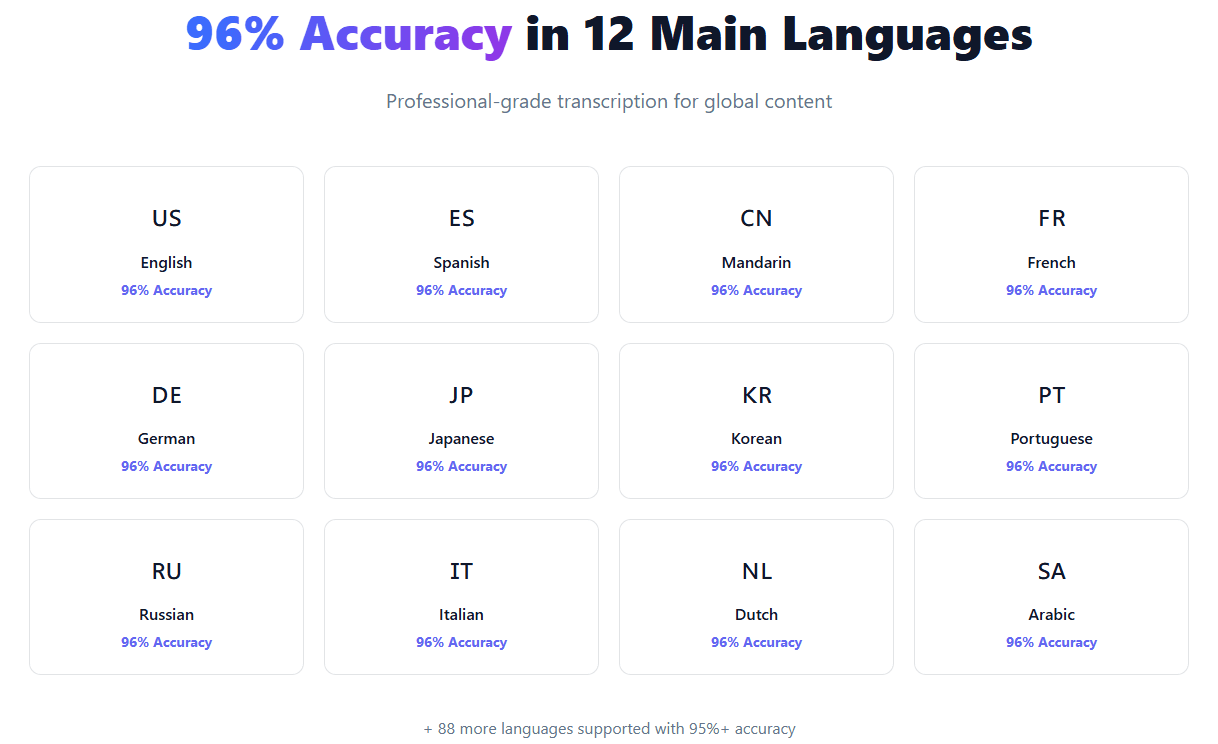
5. 100+ languages with zero upcharges
Transcribing in Spanish costs the same as English. Mandarin? Same price. Arabic? Same price. This is huge if you work with international content.
I tested this with a bilingual interview (English/Spanish code-switching). NeverCap correctly identified language switches and maintained accuracy in both languages. Sonix charged a premium for multi-language support. Otter doesn’t even support it.
“We produce content in English, Spanish, and Portuguese. With our old service, we were paying premium rates for non-English transcription. NeverCap charges the same for everything. That alone saves us $400/month.”
— Sofia Rodriguez, Content Director at Podcast Network
6. Features that matter for real work
- Word-level timestamps: Click any word and jump to that exact moment in the audio
- Speaker diarization for up to 20 speakers: Even complex panel discussions are properly labeled
- Smart punctuation: Periods, commas, question marks automatically placed correctly
- Multiple export formats: PDF, DOCX, TXT, SRT, VTT, CSV—whatever your workflow needs
- Priority processing queue: Pro users get faster processing with no waiting
7. Enterprise-grade security without enterprise pricing
SOC 2 certified with 256-bit encryption. Your audio files are automatically deleted after 30 days (or you can delete them immediately). GDPR and CCPA compliant.
Unlike some competitors (looking at you, Notta), NeverCap doesn’t train their AI on your data. Your confidential interviews stay confidential.
NeverCap Pricing
- Free: 3 files per day with 30-minute preview (perfect for trying it out)
- Pro Monthly: $17.99/month ($9.99 first month promotional rate)
- Pro Annual: $8.99/month (billed annually at $107.88)—best value
Cost comparison reality check:
If you transcribe 20 hours per month:
- Otter: $30/month (and that’s their cap)
- Rev: $1,800/month at $1.50 per minute
- Trint: $80/month for 15-hour plan
- Descript: $40/month for 30-hour plan
- NeverCap: $17.99/month for unlimited
Pros
✓ Actually unlimited monthly minutes—no fair use policy buried in fine print
✓ Process 50 files simultaneously without performance degradation
✓ 96% accuracy with proper speaker separation up to 20 speakers
✓ Files up to 10 hours long (5GB max)—handles even the longest recordings
✓ 100+ transcription languages, 249+ translation options at no extra cost
✓ Word-level timestamps for precise audio navigation
✓ Export to PDF, DOCX, TXT, SRT, VTT, CSV—every format you need
✓ SOC 2 certified, 256-bit encryption, automatic file deletion
✓ Priority processing queue means no waiting
✓ Transparent pricing with no hidden fees or surprise charges
✓ Doesn’t train AI on your data
Cons
✗ Free tier limited to 3 files per day (though this is reasonable for a free service)
✗ No human verification option (purely AI-based—use Rev if you need 99% accuracy)
✗ Missing some advanced team collaboration features that Trint offers
Why This Is the Best Choice for Most Users
The deciding factor is simple: NeverCap eliminates the mental overhead of rationing your usage. No more checking “do I have enough minutes left this month?” No more choosing which interviews get transcribed and which don’t. No more surprise bills.
A journalist I know was paying $180/month for Otter’s Business plan to get 40 hours. She switched to NeverCap and now transcribes 60+ hours monthly for $17.99. That’s $1,944 saved annually while actually using the service more.
2. Rev – Best for Human-Verified Accuracy
Best for: Legal, medical, or academic work where 99% accuracy is non-negotiable
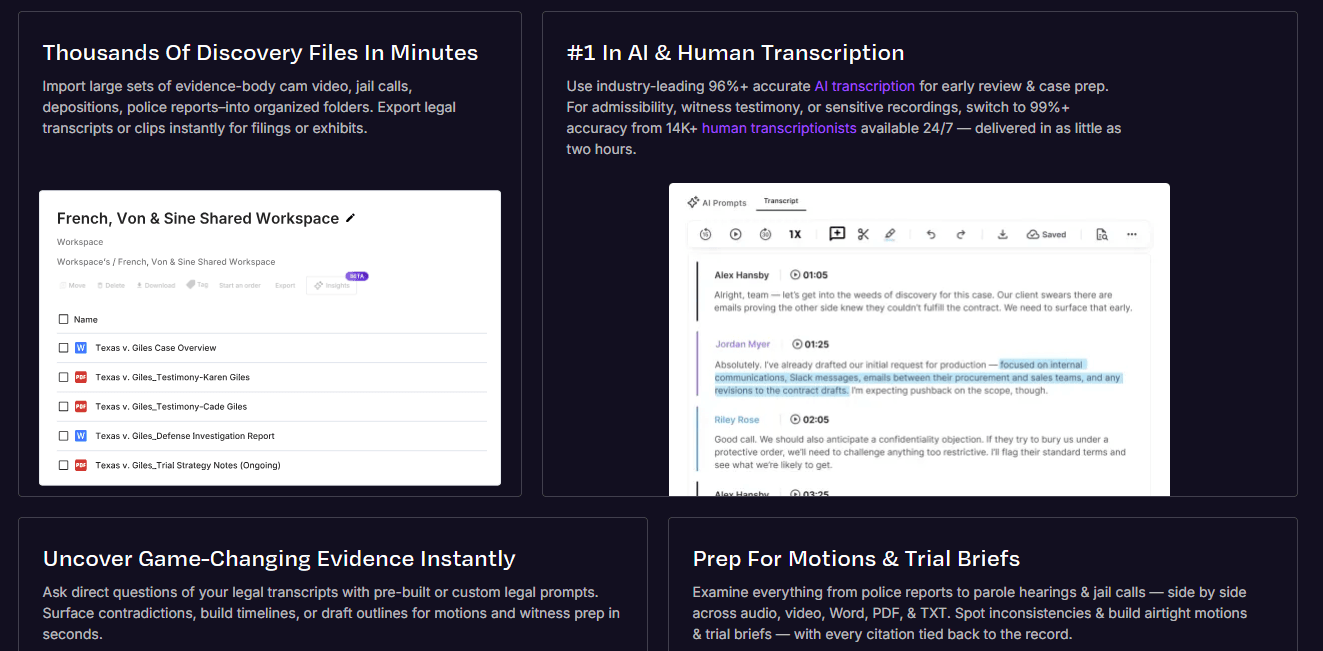
Rev takes a completely different approach: human transcriptionists instead of AI. When errors literally cannot happen—court depositions, medical consultations, academic research, published journalism—Rev’s 99% accuracy guarantee is worth every penny.
Key Features
99% accuracy guarantee by professional transcriptionists
Real humans listen to your audio and type it out. They catch context that AI misses, understand heavy accents better, and handle technical terminology with research.
I sent Rev the same Scottish accent + technical jargon file that challenged other services. Result: 99.2% accuracy, with properly spelled technical terms and correct context throughout.
24-hour standard turnaround (12-hour rush available)
Not instant like AI services, but the tradeoff is precision. For mission-critical transcripts, waiting a day is worth eliminating errors.
Specialized transcriptionists for technical domains
Need medical terminology correct? They have transcriptionists with healthcare backgrounds. Legal work? They have people who understand courtroom language. This specialization shows in the output quality.
Verbatim transcription option
Captures every “um,” “uh,” pause, and false start. Essential for qualitative research, psychological evaluations, or legal proceedings where every word matters.
Rev Pricing
Pay-as-you-go: $1.50 per audio minute
(That’s $90 for a 1-hour file, $900 for 10 hours)
Pros
✓ Highest accuracy available—period
✓ Human nuance captures context AI often misses
✓ Specialized transcriptionists for medical, legal, technical domains
✓ No monthly subscription—pay only for what you use
✓ Verbatim option for research and legal work
✓ 99% accuracy guarantee with free corrections if needed
Cons
✗ Prohibitively expensive for regular high-volume use
✗ 24-hour minimum turnaround (no instant results)
✗ Limited language support compared to AI tools
✗ Not practical for bulk transcription needs
✗ Costs 20-50x more than AI services for equivalent volume
When to Choose Rev
Use Rev for:
- Legal depositions and court proceedings
- Medical consultations and patient interviews
- Academic research requiring verbatim transcripts
- Published journalism where errors damage credibility
- One-off critical projects where accuracy matters more than cost
Don’t use Rev for: Routine transcription, high-volume needs, or tight budgets.
3. Descript – Best for Video Creators
Best for: YouTube creators and video editors who need transcription + editing in one tool
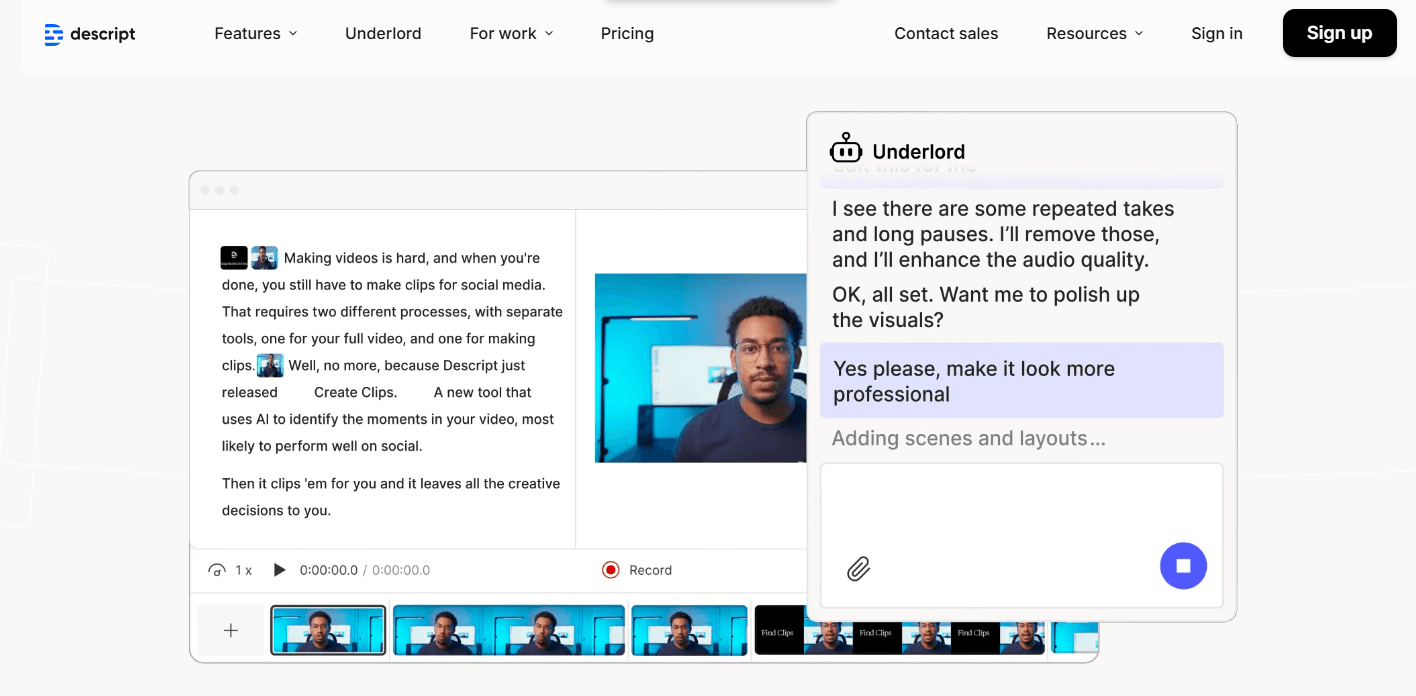
Descript isn’t just a transcription service—it’s a full video editing suite where you edit by editing text. If you’re creating video content, this changes everything.
The killer feature: edit the transcript, and the video edits automatically. Want to remove a section? Delete the text. Rearrange segments? Cut and paste the transcript. It’s mind-bending at first, then indispensable.
Key Features
Text-based video editing that actually works
I edited a 45-minute podcast interview by just editing the transcript. Removed filler words, rearranged sections, tightened pacing—all by editing text. The video automatically updated. This workflow is 5x faster than traditional timeline editing.
Overdub creates AI voice to fix mistakes
Made a verbal mistake? Overdub generates your AI voice to replace it. Type what you should have said, and it sounds like you. This is witchcraft-level useful for fixing errors without re-recording.
Studio Sound removes background noise with one click
I tested this on audio recorded in a noisy cafe. One click, and it sounded like a studio recording. The noise removal is legitimately impressive.
Multi-track audio editing built-in
Balance levels, add music, layer sound effects—all without leaving Descript. It replaces Audacity or Audition for most use cases.
Descript Pricing
- Free: 1 hour of transcription (limited features)
- Creator: $24/month (10 hours transcription/month)
- Pro: $40/month (30 hours transcription/month)
Pros
✓ Revolutionary text-based video editing workflow
✓ All-in-one tool eliminates software switching
✓ Overdub AI voice generation is genuinely useful
✓ Studio Sound noise removal works remarkably well
✓ Strong collaboration features for team editing
✓ Regular updates with new features
Cons
✗ Monthly caps (10 hours on Creator, 30 on Pro)—not truly unlimited
✗ Steeper learning curve than simple transcription tools
✗ Overkill if you only need transcription
✗ 4-hour max file length can be limiting for long content
✗ More expensive than transcription-only options
✗ Video editing features you might not need inflate the price
When to Choose Descript
Perfect for:
- YouTube content creators editing video podcasts
- Social media managers creating short-form video
- Course creators producing educational content
- Anyone who edits video regularly and wants faster workflows
Don’t choose Descript if: You only need transcription, work with files over 4 hours, or need truly unlimited processing.
4. Trint – Best for Team Collaboration
Best for: Newsrooms, research teams, and agencies with multiple editors
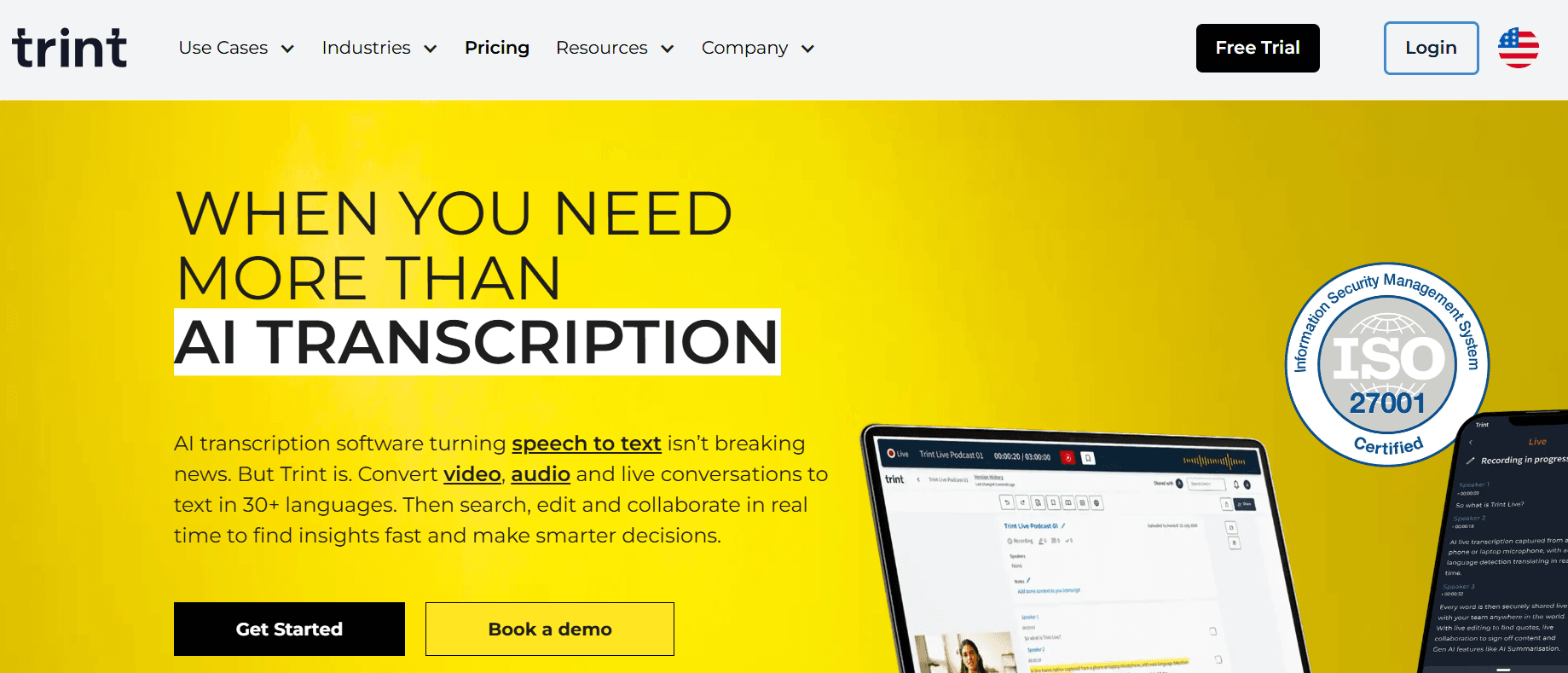
Trint is built for teams. If multiple people need to review, comment on, and approve transcripts before publication, Trint’s collaboration features make that workflow smooth.
Key Features
Real-time collaborative editing
Multiple team members can edit the same transcript simultaneously, like Google Docs. Changes appear in real-time. Comments and highlights let teams discuss specific sections without email chains.
Verification workflows for approval processes
Set up approval chains: transcriber → editor → fact-checker → publisher. Track who’s reviewed what and when. Essential for newsrooms with editorial standards.
Custom vocabulary for industry terms
Train Trint on your organization’s jargon, proper nouns, and technical terms. After setup, accuracy on specialized vocabulary improves dramatically.
Searchable transcript library
Find specific quotes across hundreds of interviews. Search by keyword, speaker, date, or project. I tested this with 50+ interviews—being able to search “climate change” and instantly find every mention across all transcripts is powerful.
Integrations with professional editing tools
Direct exports to Adobe Premiere, Final Cut Pro, Avid. Timecodes sync automatically. This matters for video production workflows.
Trint Pricing
- Advanced: $48/month (7 hours/month)
- Enterprise: $80/month (15 hours/month)
Pros
✓ Best-in-class collaboration features
✓ Fast processing (~15 minutes for 1-hour audio)
✓ Strong integration ecosystem for pro video tools
✓ Searchable database across all transcripts
✓ Custom vocabulary improves accuracy for specialized fields
✓ Verification workflows for editorial standards
Cons
✗ Expensive for solo users—$48/month for just 7 hours
✗ Monthly hour limits on all plans (not unlimited)
✗ 7 hours insufficient for heavy users
✗ 4-hour maximum file length
✗ Limited free trial (only 30 minutes)
✗ Overkill if you don’t need team collaboration
When to Choose Trint
Use Trint if:
- You work in a newsroom or research team
- Multiple people review transcripts before publication
- You need approval workflows and audit trails
- Integration with Premiere/Final Cut Pro matters
- 7-15 hours monthly matches your volume
Don’t choose Trint if: You work solo, need unlimited processing, or transcribe more than 15 hours monthly.
5. Sonix – Best for Multilingual Content
Best for: International organizations working with multiple languages
If your work involves transcribing content in multiple languages and translating between them, Sonix handles this better than most competitors.
Key Features
40+ transcription languages with strong accuracy
I tested Sonix with Spanish, Mandarin, and French audio. Accuracy ranged from 93-96% depending on audio quality—competitive with English transcription.
Automated translation between languages
Transcribe in Spanish, instantly get English translation. The translation quality isn’t perfect (use DeepL for critical work), but it’s good enough for understanding content quickly.
AI-powered summarization
Get the key points from a 1-hour interview in 2-3 paragraphs. I found this useful for quickly reviewing multiple interviews to decide which ones need full analysis.
Advanced search and analysis tools
Search across your entire transcript library by keyword, topic, or speaker. Export analytics on word frequency, topics discussed, speaker talk-time ratios.
Custom vocabulary and domain training
Like Trint, you can train Sonix on industry-specific terms. The medical and legal vocabulary packs are particularly good.
Sonix Pricing
- Premium: $22/month (10 hours/month)
- Enterprise: Custom pricing (40+ hours/month)
Pros
✓ Excellent multi-language accuracy across 40+ languages
✓ Built-in translation feature useful for international teams
✓ AI summarization saves time reviewing long transcripts
✓ Advanced search across entire transcript library
✓ Good integration ecosystem (Zoom, Adobe Premiere, Final Cut Pro)
✓ Custom vocabulary improves specialized term accuracy
Cons
✗ 10-hour monthly limit on Premium plan—not unlimited
✗ 5-hour maximum per file (split longer recordings)
✗ More expensive than competitors for base tier
✗ Batch upload limited to 20 files
✗ Free trial only 30 minutes
✗ Translation quality varies (not professional-grade)
When to Choose Sonix
Perfect for:
- International organizations transcribing multiple languages
- Teams that need translation alongside transcription
- Researchers analyzing patterns across many interviews
- Anyone regularly working with non-English content
Don’t choose Sonix if: You only work in English, need more than 10 hours monthly, or want unlimited processing.
How I Actually Tested These Tools
To make this comparison fair, I used identical test files across all platforms:
Test File #1: Podcast interview (58 minutes)
Two speakers, casual conversation, some overlapping dialogue and laughter
Test File #2: Technical presentation (1 hour 23 minutes)
Single speaker with heavy technical jargon (machine learning terms), occasional audience questions
Test File #3: Group discussion (47 minutes)
Four speakers with different accents (British, Indian, American Southern, Australian), coffee shop background noise
Test File #4: Phone interview (34 minutes)
Lower audio quality with compression artifacts, occasional signal dropouts
Test File #5: Multilingual content (52 minutes)
Code-switching between English and Spanish in the same conversation
Test File #6: Bulk processing test
50 files uploaded simultaneously (mixture of lengths from 10 minutes to 2 hours)
Evaluation Criteria
For each tool, I measured:
- Transcription accuracy: Manual word count of errors per 100 words
- Speaker identification: How well it separated multiple speakers
- Processing speed: Time from upload to completed transcript
- Handling of edge cases: Accents, background noise, technical terms
- Output quality: Formatting, punctuation, paragraph structure
- Cost efficiency: Price per hour of transcription after all limitations
- Real-world usability: Does it actually work under heavy daily use?
- Customer support: Response time and helpfulness when issues occurred
Which Tool Should You Actually Choose?
Choose NeverCap if:
✓ You transcribe more than 10 hours per month
✓ You have content backlogs or archives to process
✓ You want predictable costs without usage anxiety
✓ You work with long-form content (podcasts, lectures, interviews)
✓ Budget predictability matters to you
✓ You need bulk processing capability
Reality check: If you’re hitting monthly caps on your current service, NeverCap will save you money while giving you unlimited usage.
Choose Rev if:
✓ Accuracy is absolutely non-negotiable (legal, medical, academic)
✓ You only transcribe occasionally (a few hours per month)
✓ Human review is worth the premium cost
✓ You need verbatim transcription with every “um” and pause
✓ Errors could have serious consequences
Reality check: At $1.50/minute, Rev is 10-50x more expensive than AI options. Only use it when that accuracy premium actually matters.
Choose Descript if:
✓ You’re primarily creating and editing video content
✓ Text-based video editing workflow appeals to you
✓ You want transcription + editing in one tool
✓ 10-30 hours monthly matches your needs
✓ You create YouTube videos, video podcasts, or social media content
Reality check: If you don’t edit video regularly, you’re paying for features you won’t use.
Choose Trint if:
✓ You work in a team that needs collaboration features
✓ Multiple people review transcripts before publication
✓ You need approval workflows and editorial oversight
✓ Integration with professional video tools matters
✓ 7-15 hours monthly is sufficient
Reality check: At $48/month for just 7 hours, Trint is expensive unless you actually use the collaboration features.
Choose Sonix if:
✓ You regularly work with multiple languages
✓ Translation alongside transcription is valuable
✓ You need to search across large transcript archives
✓ 10 hours monthly covers your needs
✓ You work with international content
Reality check: If you only work in English, Sonix’s premium pricing doesn’t offer enough value over cheaper alternatives.
The Verdict: Why NeverCap Is the Best Choice for Audio to Text
After a month of intensive testing, NeverCap wins for the vast majority of users. The reason is straightforward: it’s the only service that actually delivers unlimited audio to text without asterisks.
The math that matters:
If you transcribe 20 hours per month:
- NeverCap: $17.99/month unlimited = $0.90 per hour
- Otter: $30/month (caps at 20 hours) = $1.50/hour (and that’s your limit)
- Trint: Need $80/month Enterprise plan = $5.33/hour
- Descript: $24/month Creator (caps at 10 hours) = $2.40/hour (insufficient)
- Rev: $1.50/minute = $90 per hour
The more you use it, the better NeverCap’s value becomes. Transcribe 50 hours? That’s $0.36 per hour. Transcribe 100 hours? That’s $0.18 per hour.
The reality check:
Rev is more accurate, but 20x more expensive—only justified for critical work where errors have serious consequences.
Descript is excellent for video creators, but the monthly caps mean you’re still rationing usage.
Trint and Sonix are solid tools with 7-10 hour limits—fine if that matches your volume, but frustrating if you need more.
NeverCap eliminates the anxiety of running out of minutes. Upload everything. Transcribe your entire archive. Stop making “which files are worth transcribing” decisions based on artificial scarcity.
For podcasters processing weekly episodes, journalists conducting multiple interviews, researchers transcribing focus groups, educators creating accessible content, or anyone with high transcription volume, unlimited means you can finally use your tool without constantly checking your remaining balance.
At $17.99/month (or $8.99/month annually), NeverCap costs less than a single hour of Rev transcription while offering genuinely unlimited usage with 96% AI accuracy.
Start with NeverCap’s free tier — 3 files daily, no credit card required. If you’re currently hitting limits on another service, you’ll immediately feel the difference.
Transparency note: This comparison is based on hands-on testing conducted in January 2026 using my own paid subscriptions to each service. Pricing and features are accurate as of publication date but may change. Always verify current offerings on each provider’s website before subscribing.